Carsparency design system — one library under four products
One library under four products: twelve colour ramps, a state matrix for each control, and components every Carsparency surface consumes.
- Company
- Carsparency
- Role
- Product designer
- Type
One library under four products: twelve colour ramps, a state matrix for each control, and components every Carsparency surface consumes.

01Context
Carsparency ran four product surfaces: a website for sellers, a field app for inspectors, a back office for staff and a platform for dealers. Each has its own Figma file, and all four are built on one shared library.
The design-system file documents that library in eleven boards (colour, type, buttons, form fields, toggles, breadcrumbs, pagination, toasts, modals, header and footer, and small components) and an icon page.

02Problem
The four products do not look alike on purpose. The seller site is light and open, while the inspection app, the back office and the dealer platform are dark and dense. A seller and a dealer should still recognise the same company.
Without a shared library, each file would redraw its own buttons and inputs, and the four products would drift apart one screen at a time.
03Structure
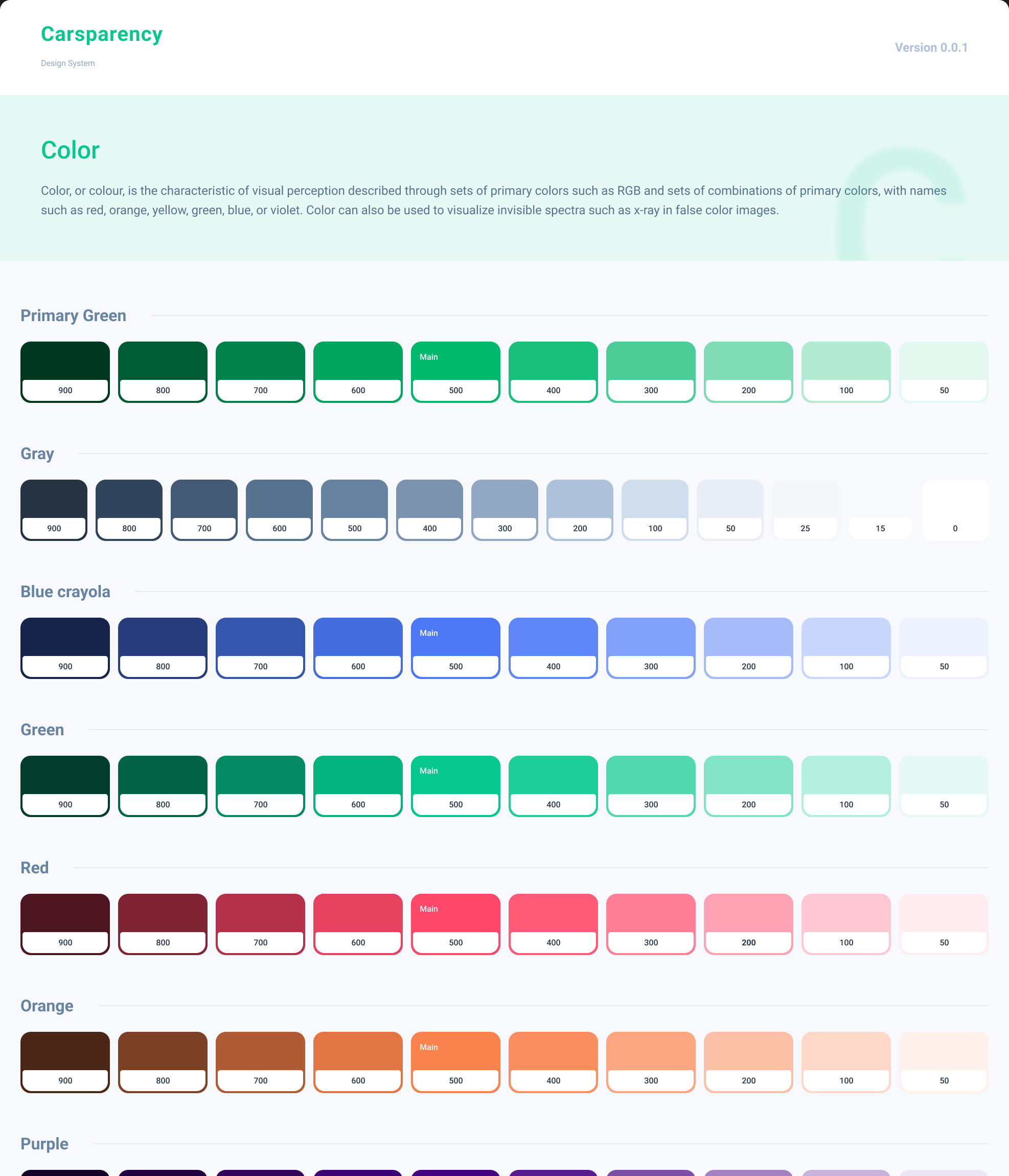
Colour is organised as twelve ramps (primary green, gray, blue, green, red, orange, purple, coral, blue-purple, yellow-orange, navy and a cyan blue). Each runs from 900 to 50, the gray ramp continues to white, and the 500 step is marked as the main value. The brand primary, #00B86B, is the 500 of the green ramp.
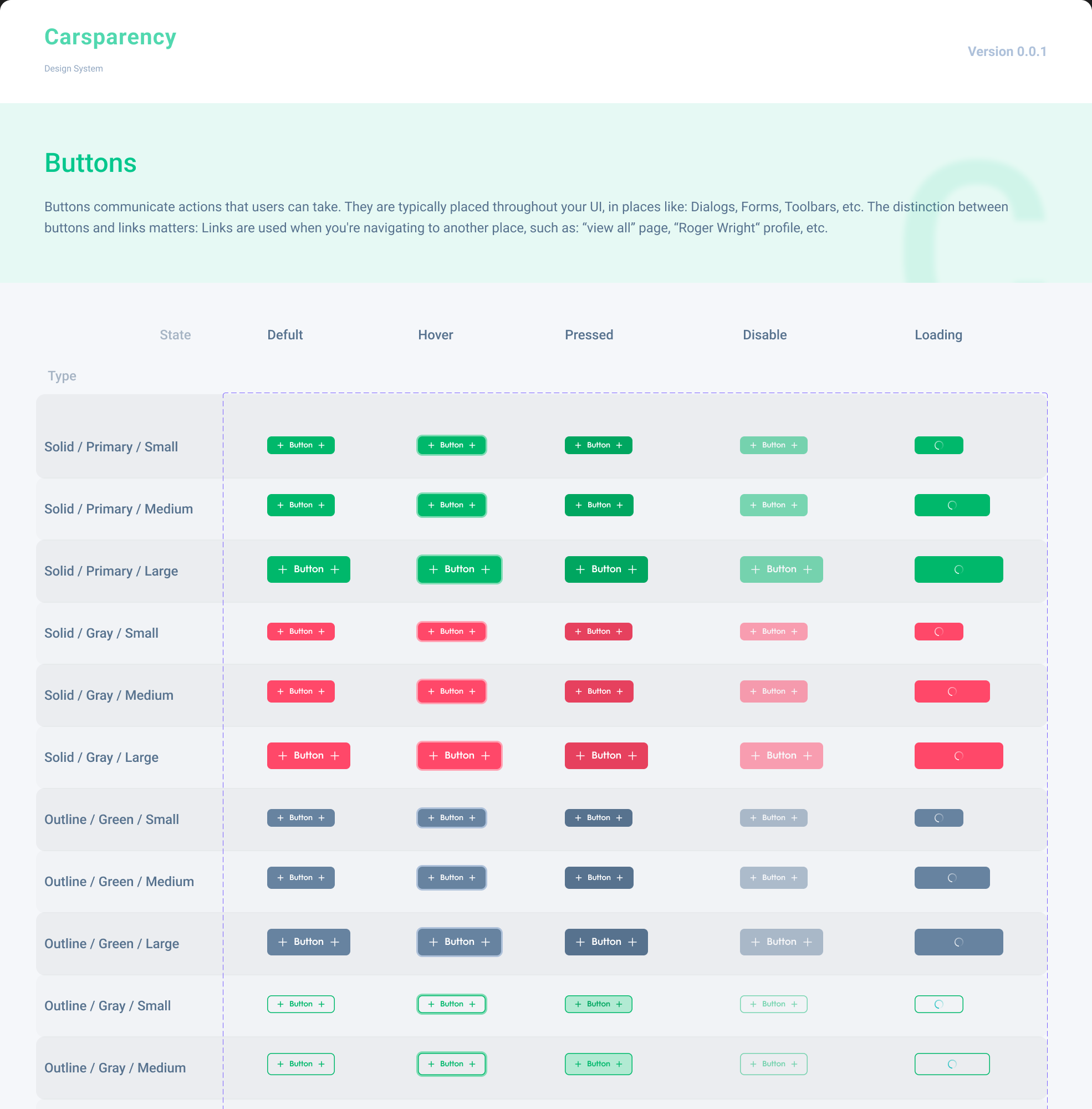
Components are built as sets whose variants cover type, size and state together. The button set alone holds 90 variants: solid and outline, primary and gray, three sizes, and default, hover, pressed, disabled and loading states.
04Key decisions
Read from the boards and from how the product files use them.
Each colour comes as ten steps with a marked main value. Dense dark screens need several nearby shades for surfaces, borders and text, and ramps provide them without inventing new colours.
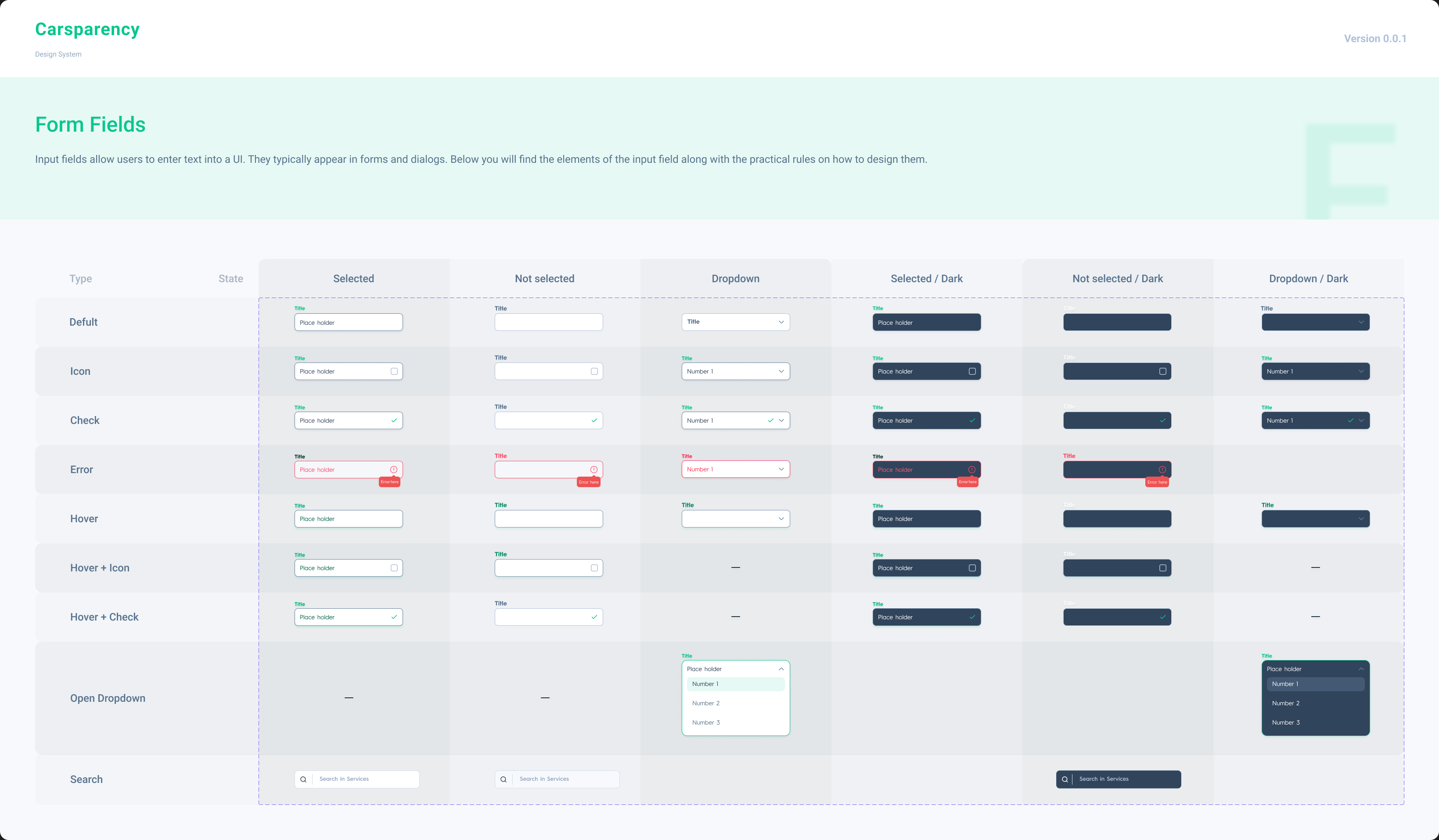
Buttons and inputs are documented as matrices of type, size and state. Hover, pressed, disabled, loading and error are designed rather than left to whoever builds them.
The colours and components reach the product files as library styles and instances, not pasted copies, so a change in the library can reach all four products.
The light seller site and the dark professional tools draw on the same ramps from opposite ends, which keeps the brand consistent while letting each audience get the density it needs.
05Solution
Every interactive component is drawn in every state it can be in, not only its resting look. The form-field board runs default, with icon, checked, error, hover and dropdown states across selected and unselected, for light and dark, so a developer never has to guess what an error looks like in the dark theme.
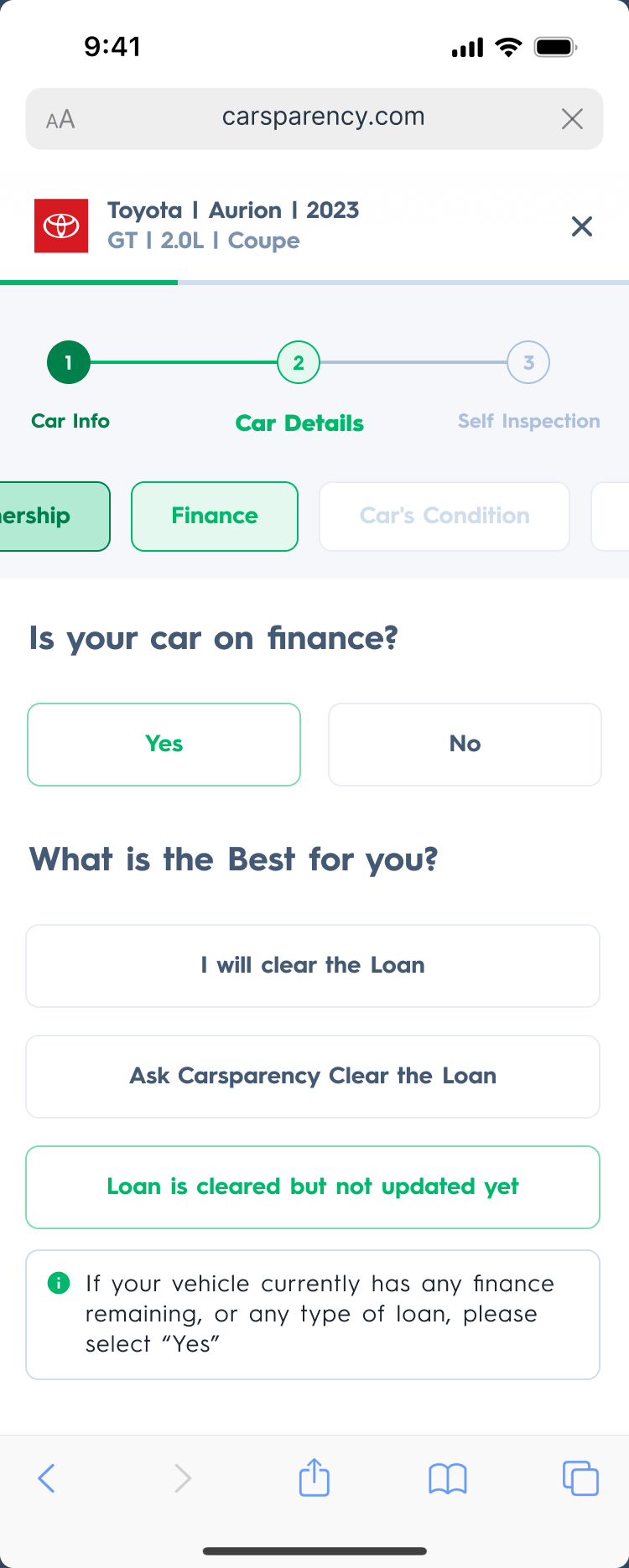
The same ramps serve both themes. The website uses the light ends of the gray ramp as surfaces and the dark products use the dark end, with primary green as the constant action colour in both.

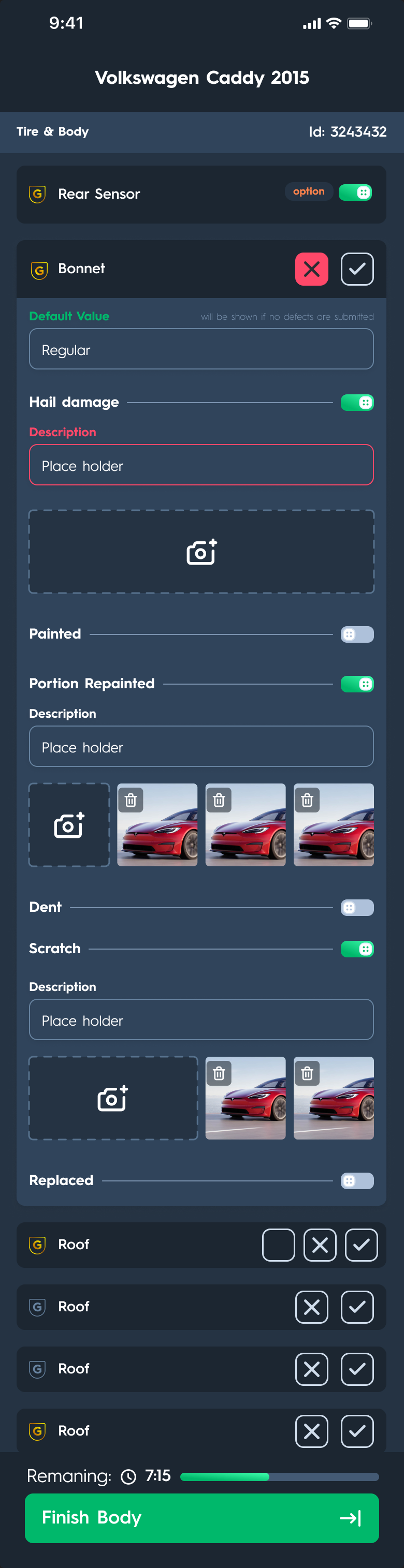
Dark: inspection app

Light: seller wizard
06Ecosystem
The strongest evidence for a design system is in the files that consume it. Frames in the Pro, Back Office, Inspection and Web files all take their colours from the same published styles (the primary green and gray ramps) rather than local copies.
Their components come from the same library too. Text inputs, modals, pagination, breadcrumbs, buttons and system icons in the product files are instances of library components, down to a toggle set whose misspelled name is identical in the library and in the inspection app.
07My role
Listed from the design-system file. The files do not record who else worked on the library, and its colour styles are published from a library file outside this set, so this is not a claim of sole authorship.
The boards are marked Version 0.0.1, an early version of the library rather than a finished one.
08Outcomes
Counts of designed work, not results. Whether engineering consumed the library as code is not recorded.
09What I learned
A library earns the name when other files consume it. Here the evidence is in the product files' own layers, not in the boards.
Resting components are quick to draw. The 265 variants are mostly states, and that is where consistency between four products is actually decided.
A misspelled component name survives into every product that uses it, which makes naming worth getting right before publishing.